
Digital
Crisp, detailed repeats for rhythmic parts and clean vocal echoes.
SW DELAY
Clean digital repeats, warm tape echoes and darker analog trails, with a live display that shows the repeats as you play.
Mac: AU + VST3 · Windows: VST3
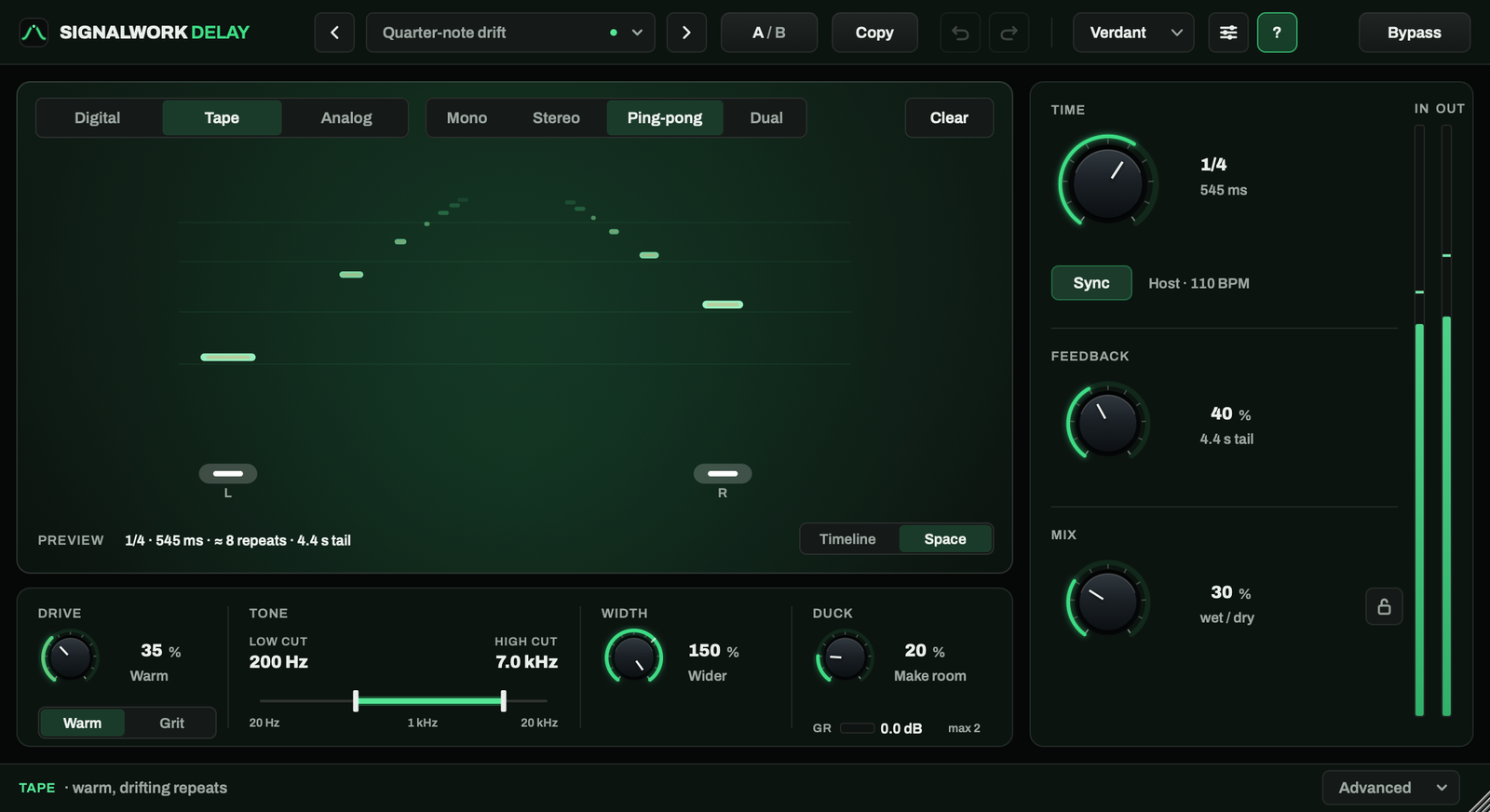
Crisp, detailed repeats for rhythmic parts and clean vocal echoes.
Softened repeats with the warmth and pitch movement of tape.
Dark, mellow echoes that sit behind the track as they fade.
Bring out the harmonics with Warm or Grit, then shape the echoes with the low and high cuts. Duck lets a vocal stay clear while the repeats rise between phrases.
Follow the stereo spread in Space or the rhythm in Timeline. Open Advanced when you want finer control.
Keep it centered with Mono, spread it in Stereo or bounce it with Ping-pong. In Dual, set a different time for each side.
Add Delay alongside your EQ and compression. Keep the whole chain in one window.
Available in SW Rack 1.3.0 or later. Rack and Delay are sold separately; each needs an active license or trial.
Explore SW RackSW DELAY
One-time purchase. No subscription.
Seven days with every feature. Start the trial in the plugin whenever you’re ready.
Digital product. All sales are final.
Version 1.0.0
Download, try it in a mix, and pick up where you left off when you buy.
macOS 11 or later. Apple silicon and Intel.
AU and VST3.
Windows 10 or 11. 64-bit x64.
VST3.
No. SW Delay is a separate purchase, just like SW Rack. The Signalwork Suite stays free and unchanged.
No. Downloading or opening Delay does not start the clock. Choose Start free trial in SW Delay when you’re ready for your seven days. Trials are never started from Rack.
Delay stops processing after the trial has ended and the DAW has been restarted. Your settings stay saved. Import a valid license to resume processing without rebuilding your settings.
Use the Gumroad purchase key on the license page, then import the downloaded .swlicense file into Delay. Use the same purchase key to recover a lost file. The plugin checks the license offline.
No. SW Delay works as its own AU or VST3 plugin in a compatible DAW. Using it inside Rack is optional and requires SW Rack 1.3.0 or later, with an active license or trial for both products.